Write real work
Use KinoWriter on a short film, feature, class assignment, corporate AV script or an idea you have been meaning to start.
KinoWriter
KinoWriter is a screenwriting and story-development app built in Malaysia. We are inviting Malaysian writers, filmmakers, students and educators to test it—and help make it genuinely useful for the way we work.
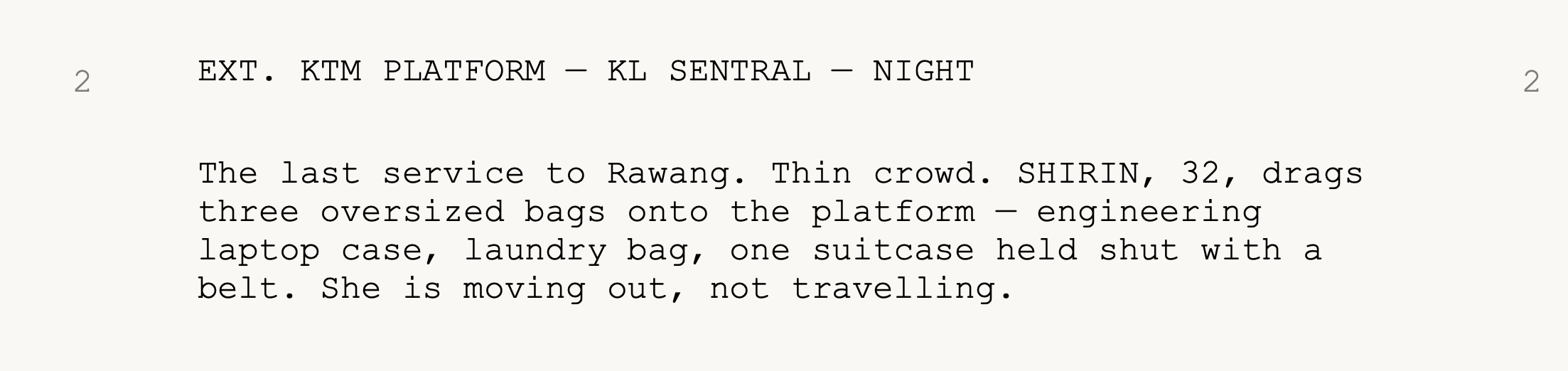
Professional screenplay formatting with live scene intelligence.
CALLING MALAYSIAN
01 / THE PROGRAMME
Use KinoWriter on a short film, feature, class assignment, corporate AV script or an idea you have been meaning to start.
Tell us where the workflow feels confusing, slow or incomplete. Practical feedback matters more than technical knowledge.
Your experience will help prioritise fixes, writing shortcuts, Malaysian workflows and the features that move KinoWriter towards Version 1.
02 / WHAT YOU WILL TEST
KinoWriter keeps planning and writing in one focused macOS workspace—without asking writers to become formatting experts.
SCREENPLAY
Scene headings, action, characters, dialogue, parentheticals and transitions—with keyboard-first element changes and professional page layout.
STORY PLAN
Develop your premise, beats and treatment before sending material into the screenplay.
AV SCRIPT
Adjustable columns, optional third column, timing, scene groups, and portrait or landscape output.
SCENE INTELLIGENCE
Navigate scenes, characters, locations, timing and reports while the screenplay stays in view.
EN + BM
English and Bahasa Melayu interface support, with feedback from local writing and production practice.
03 / HOW TO JOIN
Tell us briefly about your writing, filmmaking or teaching background through the beta form.
If selected, install KinoWriter on a Mac running macOS 14 or later and use it in a real writing workflow.
Share bugs, friction and ideas clearly. Screenshots and reproducible steps are especially useful.
04 / FAQ
Malaysian screenwriters, filmmakers, content creators, lecturers, teachers and students who can actively test a writing workflow and provide clear feedback.
The current beta is a Mac app and requires macOS 14 or later.
No. Features may change and bugs are expected. Please keep independent backups of important writing while testing.
No. We need honest feedback from working writers and learners. If something is confusing, that is valuable information.
KINO WRITER BETA PROGRAMME
Applications are now open. Tell us what you write and why you would like to test KinoWriter.
Join the Malaysian beta programme The application opens in Google Forms.